


Skip to content
Par Sign in

Say what you see. Your readers see it live.

Make a live news story in Par. Tell the AI you already use what you see, and it updates the whole story.

  • The opening
  • The map
  • The timeline
  • What we know

Made for a reporter, a blog or a newsroom.

A reporter speaks into her phone beside a barrier at a small bridge. The Par brain carries the update along a dotted line to a man on a bench, who sees it arrive on his phone.

The live desk

One new fact, the whole story updates.

Example: Nadia Roux is a reporter for a local paper. Today she covers a march in a French city and sends one voice note and one photo. Watch her story change for everyone reading.

Nadia's phone

Nadia's AI

Live desk

Voice note, 0:06

“The city just posted the route: from the station to the river, starting at one.”

Published 11:05: The route is announced

Voice note, 0:04

“Leaving the station now. Slow, and very calm.”

Published 13:00: The march leaves the station

Voice note, 0:05

“On the river quay now. Lots of families walking.”

Update for the live page, 13:50

The march reaches the river quay

Published 13:50

Voice note, 0:08

“A barrier just went up on Rue Basse, at the bridge. Cars are sent back along the quay; people on foot still cross.”

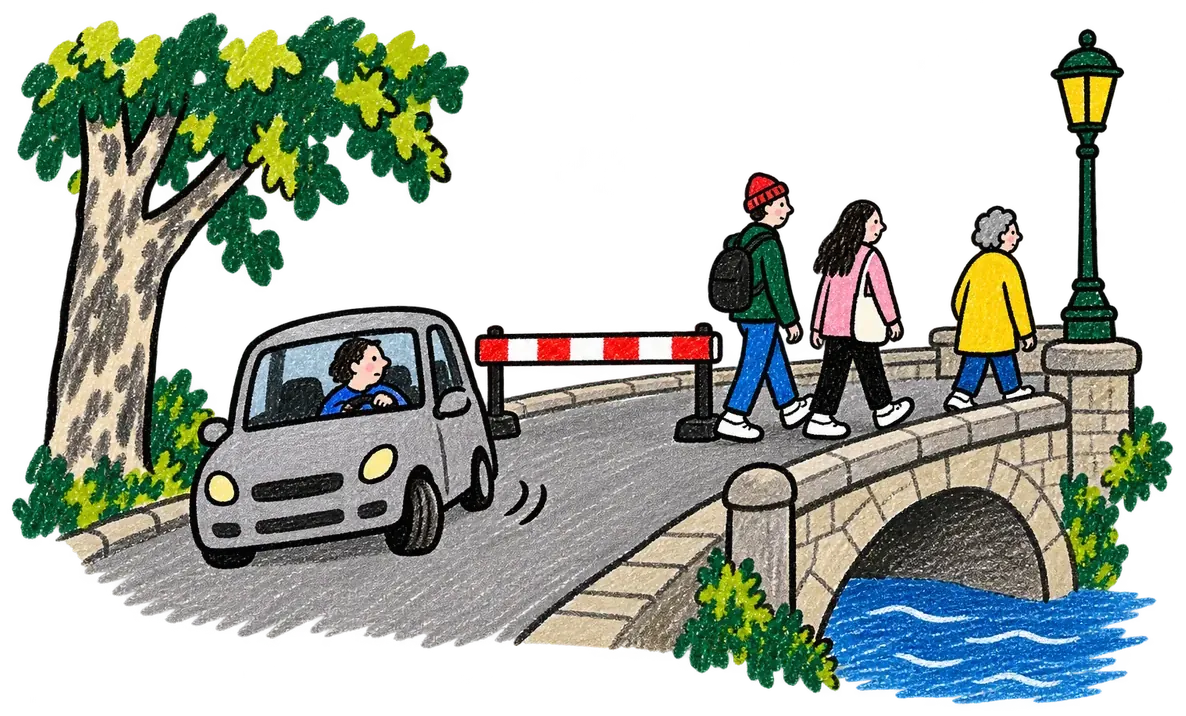
Her photo, drawn: a red and white barrier at a small bridge, a car turning back, people walking past.

Update for the live page, 14:32

Barrier closes Rue Basse at the bridge

  • Opening rewritten, with her photo
  • Map: barrier marked
  • What we know: updated
  • Timeline: 14:32 added
  • Chart: 14:32 added

Checked: city road closure notice, 14:20
Published 14:32

Say what you see

Par's memory Live story, updated 13:50 New from Nadia: a voice note and a photo Update 14:32, fitted into her story Live story, updated 14:32

What readers see, live

Local News

Live Updated 2 min agoUpdated just now City centre

The march crosses the city centre to the river

From the station to the river quay. What we know, updated as it happens.

By Nadia Roux, in the city centre
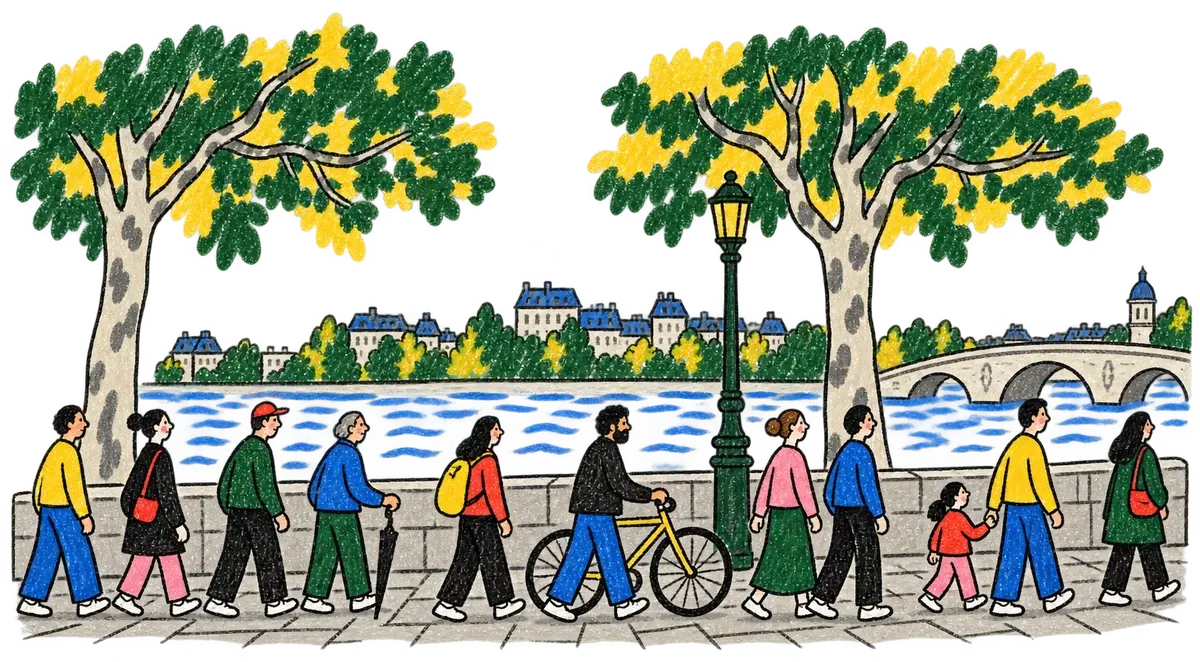
Drawing: the march walks along the river quay under plane trees, with a bridge in the distance. Drawing: a red and white barrier at a small bridge, a car turning back, people walking past.
The march along the river quay, 13:50.The barrier on Rue Basse, at the bridge, 14:32.

The march reached the river quay just before two o'clock and is walking slowly along the water. The bridge is still open.

A barrier closed Rue Basse at the bridge at 14:32, as the march walked along the river quay. Cars are sent back along the quay; people on foot still cross.

The route was announced at 11:05: from the station, through the centre, to the river.

The city posted a road closure notice for Rue Basse at 14:20, and our reporter saw the barrier go up at the bridge. The route, announced at 11:05, runs from the station through the centre to the river.
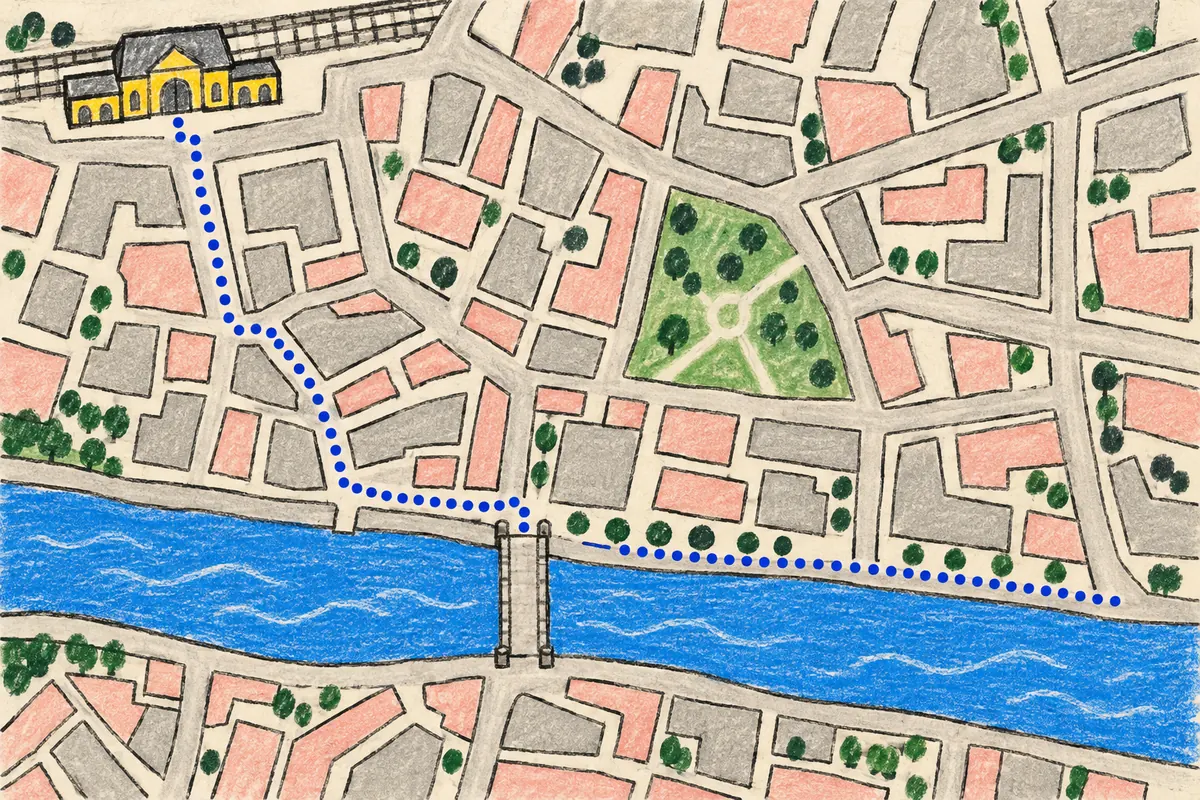
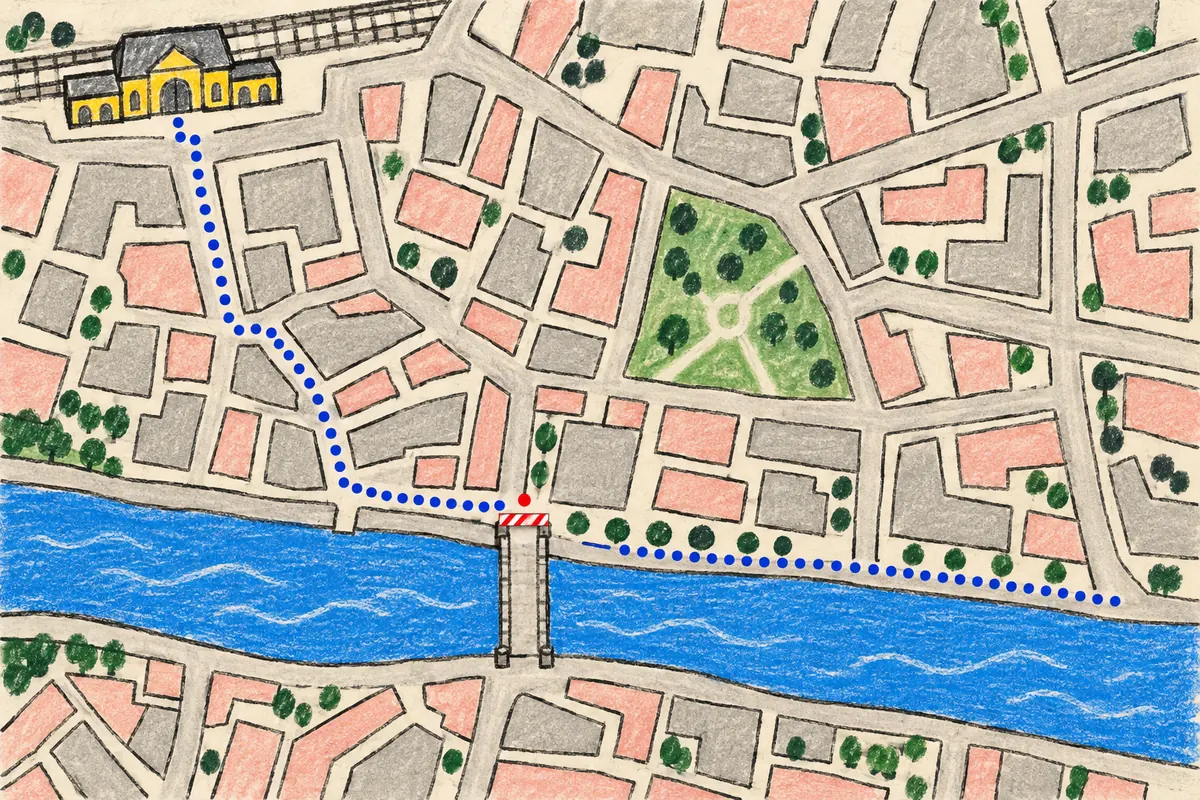
Map, drawn: the route from the station down to the river and along the quay. Map, drawn: the route from the station down to the river and along the quay, and the barrier at the bridge in red.
The route, from the station to the river.The route, and the barrier at the bridge (in red).

What we know

  • The march left the station at 13:00.
  • It reached the river quay at 13:50.
  • Rue Basse is closed to cars at the bridge, since 14:32.

What we don't know yet

  • Where the march will end.
  • Whether the bridge will stay open.
  • How long Rue Basse will stay closed.

Timeline

  1. 14:32 A barrier closes Rue Basse at the bridge.
  2. 13:50 The march reaches the river quay.
  3. 13:00 The march leaves the station.
  4. 11:05 The route is announced.

Streets closed to cars

  1. 211:05
  2. 413:00
  3. 513:50
  4. 614:32
Along the route, from the city's road notices.

Sources checked

  • City road closure notice, 14:20
  • Our reporter at the bridge, 14:32
  • The route notice, 11:05
  • Our reporter on the quay, 13:50

  1. Nadia tells her AI “A barrier just went up on Rue Basse, at the bridge” and sends a photo. Par already knows what she covered this morning.
  2. Her AI checks the city's road notice and drafts the update: a new opening, the barrier on the map, 14:32 on the timeline.
  3. Nadia approves it. Everyone reading sees the story change, without a reload.

What each part does

You report. Par keeps up.

  • Talk

    Say it out loud to your AI, and it picks it up.

  • Photo

    Send a photo. Your AI sees it and uses it in the story.

  • Video

    Send a video. It goes on the page as you shot it.

  • Check

    Your AI looks things up before it writes, and the story says what it checked.

  • Explain

    A map or a chart drawn by the page, or a picture made for the story.

  • Approve

    Nothing goes out until you approve it, and you can ask for changes first.

  • Live

    Readers open one link. The story changes while they read, with no reload.

Start with one story.

Connect Par to the AI you already use. Ask it to make you a live story in Par, then tell it what you see.